Butuh dana Cepat? JNT Solusi nya

Syarat mudah dan proses cepat sehingga Anda bisa mendapatkan uang yang dibutuhkan dengan segera. Jaminkan Elektronik Anda, Dapatkan Dana Mudah & Instan

Jaminkan elektronik, dapatkan taksiran tinggi, cairkan dana dengan mudah & instan, hanya di JNT Pawn

Beberapa Keuntungan Gadai Elektronik di JNT Pawn Shop

Jangka Waktu

Fleksibel dan Menguntungkan

Pilih jangka waktu gadai yang sesuai dengan kebutuhan kamu, chat admin kami untuk info lebih lengkap.

Mulai Sekarang

Langkah Mudah: Mendapatkan Dana Tunai di JNT Pawn Shop

Keamanan – Kepercayaan – Privasi

1

Siapkan Gadget
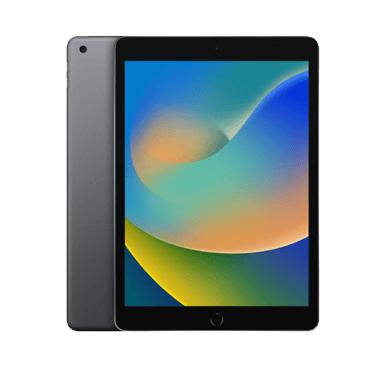
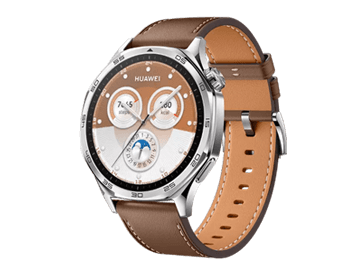
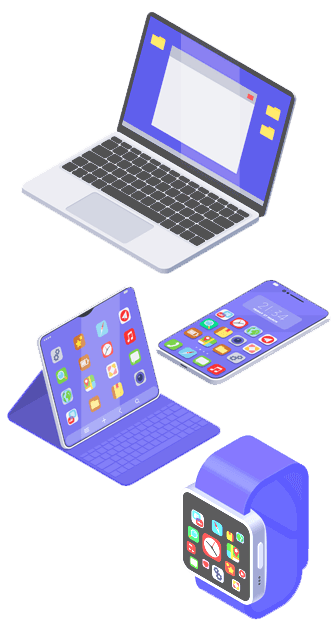
  • Kami menerima HP, Laptop, iPad, Tablet, dan SmartWatch
  • Sumber barang yang Jelas kepemilikan nya
  • Bukan barang servisan atau bermasalah

2

Chat Admin

3

Datang ke JNT Pawn

4

Dana Siap Digunakan
  • Tanpa potongan atasan sedikit pun
  • Gunakan uang dengan bijak, dan bayar tepat waktu
  • Simpan NOTA Gadai, Jika hilang maka Hangus
  • Jika lewat 2 hari dari Jatuh Tempo maka HANGUS

Gadai Mudah dan Aman hanya di JNT Pawn Shop Poipet

JNT Pawn Shop Poipet menerima jaminan Handphone, Laptop, iPad, Tablet, hingga Smartwatch. Chat Admin kami sekarang.

Outlet JNT Poipet

A User’s Manual to Mobile Banking: Addressing Common Inquiries

Choose a convenient account currency and tariff plan without visiting branches.

We’ve built our own platform to take your finances beyond what traditional banks can offer. Download the app from the Apple Store or Google Play to your smartphone. Add your phone number registered with the bank. Add an activated payment card from our bank.

If you have lost or forgotten your PIN code, and the card is blocked, then the right decision is to contact the bank office. You can also get general information on changing your PIN code by calling your bank’s hotline number, the number of which is indicated on each card.

Yes. The method is based on scanning the individual pattern of papillary lines on the fingertips. pattern, optical – recognize a fingerprint using the built-in camera. To identify a person, the device compares his fingerprint with templates in the database.

You need to log in to online banking or a mobile application and log in; select the operation to change the PIN code; enter a new code that will differ from the previous ones; confirm and record the combination of numbers.

The information is of course protected. The account key is generated by the digital signature key, which is used to sign client documents. Attention! The generated account is unique for each client.

Make sure that both banks are on the list of Faster Payment System participants. Log in to your bank’s mobile app. Select “Transfer by phone number” from the menu. Dial the recipient’s number manually or select from your phone contacts.

Launch the application on your mobile phone and select “Payments” or “My Payments”. Then select “New payment”. Select “Fill in details”. Enter the Current Account number sent by the store manager and click – Next.

Unfortunately, in our application, the transaction history does not contain all information on transactions, but only on transfers. More complete information about card activity can be seen in the tab: My accounts – Cards – Statements. All transactions on the card are displayed there.

In this case, you need to immediately block the card. After all, there is a high probability that scammers can pay with it or withdraw cash at any moment. You can block a bank card in different ways.

TEstimonials

Hear What Our Customers Are Saying

Quickly and easily send, receive and request money online with Stereo Bank Banking System. Get a customised solution to fit your business needs. Save cards for quick access to repeat transactions.

5/5

“Quickly and easily send, receive and request money online with Stereo Bank. Get a customised solution to fit your business needs. Get a customised solution to fit your business needs”

Banker
4/5

"I recently became a client of this bank. Very friendly staff, very convenient application. There is no imposition of services, which was also very pleasing. Overall, I'm happy and will continue to use it!"

Teacher
4/5

“I was lucky that when I called the hotline I came across a competent employee and he helped in resolving the issue. Although I had to tinker, I installed the application and now I’m using it successfully”

Banker
4/5

“Not the most favorable offers on deposits, but the credit conditions are very good compared to other banks. Fast transfers and payments between cards and accounts”

Businessman
5/5

“When purchasing currency for a deposit in the application, the rate is more favorable than at the bank's cash desk. Currency is always available - no queues or inconveniences”

Manager

Exploring the Landscape of Online Banking

Opening deposits, making transfers, buying currency and managing finances is easy! Choose a convenient account currency and tariff plan without visiting branches.

Download Our App: Seamlessly Begin Your Mobile Banking Journey

Now your smartphone is not only your favorite gadget, but also a payment instrument! Add your card to your e-wallet and easily pay in stores and online.

Copyright © 2025 JNT Pawn. Website by Hena Web